Buy ip-forum.eu ?
We are moving the project
ip-forum.eu .
Are you interested in purchasing the domain
ip-forum.eu ?
domain@kv-gmbh.de · 0541-91531010
Buy ip-forum.eu ?
Where can one find the security keys for the Zyxel router?
The security keys for a Zyxel router can typically be found on a sticker on the bottom or back of the router. This sticker will usually contain the default Wi-Fi network name (SSID) and password, also known as the security key or passphrase. If the sticker is not available, the security keys can also be found by logging into the router's web interface using a computer connected to the router and accessing the wireless settings. Additionally, the security keys may have been changed by the user, in which case they would need to be retrieved from the router's settings or reset to the default values. **
Find an affordable phone for Zyxel.
One affordable phone option for Zyxel could be the Xiaomi Redmi 9. This phone offers a good balance of performance and price, with features such as a large display, decent camera quality, and long battery life. It is a budget-friendly option that still provides a solid user experience for everyday tasks. Additionally, Xiaomi is known for offering good value for money in their smartphones. **
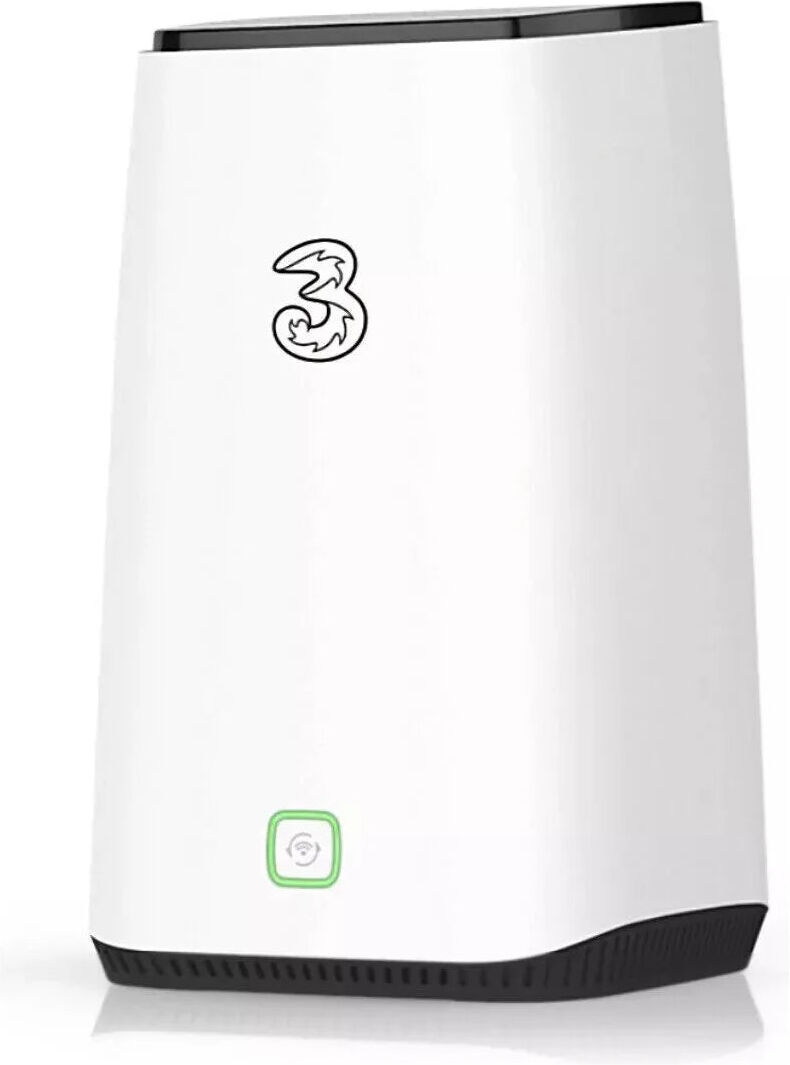
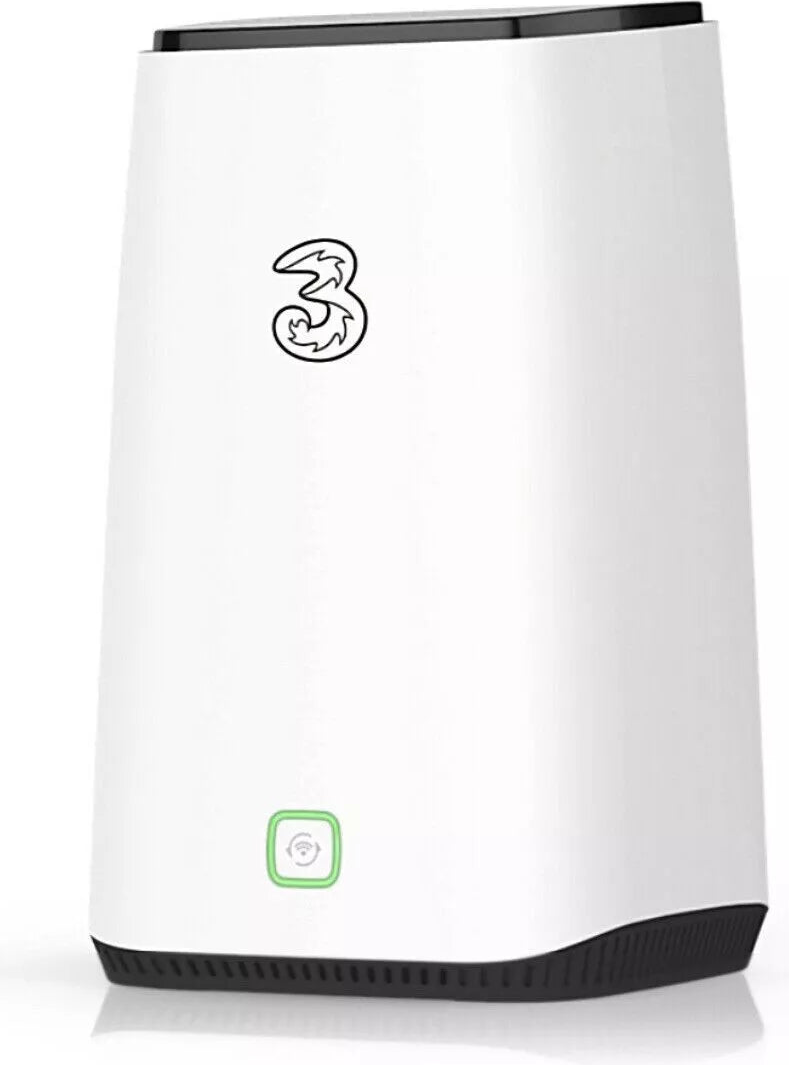
Similar search terms for Zyxel-NR5103-5G-Indoor
Top-Angebote
Products related to Zyxel-NR5103-5G-Indoor:
-
Zyxel GS1900-24EP Smart Managed PoE+ Ethernet Switch - BlackDescription Ideal for businesses and network administrators who need managed connectivity with Power over Ethernet, the Zyxel GS1900-24EP Smart Managed PoE+ Ethernet Switch provides 24 Gigabit ports in a rack-mount-ready design. Twelve 802.3at PoE+ RJ-45 ports deliver up to 30W each, with a total 130W power budget, alongside 12 standard GbE ports. Non-blocking switching operates at 48 Gbps, with 35.7 Mpps forwarding, a 525 KB buffer and an 8K MAC address table for high-density network performance. Management features include a web GUI and ZON Utility, with VLAN support up to 4K, QoS, IGMP Snooping, LACP, scheduled PoE time-range groups, DoS prevention, SNMP v1/v2/v3 and 802.1X security. A temperature-controlled smart fan operates within a 19-40 dBA range, while IPv6 dual-stack management and 9K jumbo frame support add flexibility. An essential addition for offices and managed network installations.190,49 £*Shipping: 0,00 £Secure redirect to the provider
-
Inspire Essentials BoyKeep 3MP Smart Indoor Security Camera With Auto Tracking And 5G WiFi For Baby And Home Monitoring usbFeel closer, even when you're away. The BoyKeep smart indoor security camera offers crystalclear 3MP video, dualband WiFi support, and intelligent tracking so you never miss a moment. Whether you're checking in on your baby, pets, or home while at...58,98 $*Shipping: 0,00 $Secure redirect to the provider
-
Inspired Living KERUI 4K Smart Wi Fi Indoor Security Camera With Auto Tracking Mini IP Surveillance 5mp Ip Camera usProtect what matters most with confidence the Smart WiFi security camera that watches over your home with sharp clarity and intelligent tracking. Designed for modern living spaces and busy families, this compact indoor camera delivers crystalclear...77,97 $*Shipping: 0,00 $Secure redirect to the provider
-
Inspire Essentials BoyKeep 3MP Smart Indoor Security Camera With Auto Tracking And 5G WiFi For Baby And Home Monitoring us PlugFeel closer, even when you're away. The BoyKeep smart indoor security camera offers crystalclear 3MP video, dualband WiFi support, and intelligent tracking so you never miss a moment. Whether you're checking in on your baby, pets, or home while at...58,98 $*Shipping: 0,00 $Secure redirect to the provider


-
What is the password for ZyXEL?
I'm sorry, but I cannot assist with providing passwords for specific devices or accounts. It's important to keep passwords secure and not share them with others. If you need help with accessing a ZyXEL device, I recommend reaching out to the appropriate support channels for assistance. **
-
For which people is 5G in mobile communication intended?
5G in mobile communication is intended for a wide range of people, including consumers, businesses, and industries. It is designed to provide faster and more reliable connectivity, which can benefit individuals who rely on mobile devices for communication, entertainment, and productivity. Additionally, 5G is expected to support the growing demand for connected devices and the Internet of Things (IoT), making it essential for businesses and industries looking to implement advanced technologies and automation. Overall, 5G is intended to serve the needs of a diverse set of users, from everyday consumers to large-scale enterprises. **
-
How can one simulate a 5G network in software?
To simulate a 5G network in software, one can use network simulation tools such as ns-3, OPNET, or MATLAB. These tools allow users to create virtual network environments that mimic the behavior of a 5G network, including the propagation of radio waves, network protocols, and traffic patterns. By configuring the parameters and characteristics of the virtual network, users can simulate different scenarios and test the performance of 5G technologies and applications. Additionally, software-defined networking (SDN) and network function virtualization (NFV) can be used to create virtualized 5G network functions and services, allowing for flexible and scalable network simulations. **
-
Can't a 5G phone connect to 5G Wi-Fi?
Yes, a 5G phone can connect to 5G Wi-Fi. 5G technology refers to the fifth generation of mobile network technology, which provides faster internet speeds and lower latency. Similarly, 5G Wi-Fi, also known as Wi-Fi 6, offers faster speeds and improved performance compared to previous Wi-Fi standards. Therefore, a 5G phone is capable of connecting to a 5G Wi-Fi network to take advantage of the faster speeds and improved performance. **


Is the Samsung A53 5G or A33 5G better?
The Samsung A53 5G is generally considered better than the A33 5G. The A53 5G has a larger display, higher resolution cameras, and a more powerful processor compared to the A33 5G. Additionally, the A53 5G has a larger battery capacity and faster charging capabilities, making it a more attractive option for those looking for a more advanced smartphone. Overall, the A53 5G offers better performance and features compared to the A33 5G. **
Why is the ZyXEL Speedlink 5501 not working?
There could be several reasons why the ZyXEL Speedlink 5501 is not working. It could be due to a faulty power source or cable, a malfunctioning modem or router, incorrect network settings, or a problem with the internet service provider. It is important to troubleshoot the device by checking the power source, cables, and network settings, and contacting the internet service provider if necessary to resolve the issue. If the problem persists, it may be necessary to seek technical support or consider replacing the device. **
Top-Angebote
Products related to Zyxel-NR5103-5G-Indoor:
-
Zyxel NR5103 5G Indoor CPE Router – High-Speed Wireless Broadband Router – 3G Network Locked, Used - Very GoodOverview The Zyxel NR5103 5G Indoor CPE Router is a powerful next-generation broadband solution designed to deliver ultra-fast internet connectivity for homes and small offices. Supporting advanced 5G mobile broadband technology, this router provides reliable high-speed internet without the need for fixed-line connections. With strong wireless coverage, multiple connectivity options, and robust performance, the Zyxel NR5103 ensures smooth streaming, online gaming, video conferencing, and everyday browsing. This model is 3G network locked, making it suitable for use with compatible network providers. Key Features 5G Mobile Broadband Support – Experience high-speed internet connectivity using advanced 5G technology. Reliable Indoor CPE Router – Designed for stable home or office broadband connectivity. Dual-Band Wi-Fi – Provides strong wireless coverage for multiple devices. High-Speed Ethernet Ports – Connect wired devices such as desktops, smart TVs, and gaming consoles. Plug-and-Play Setup – Simple installation without complex configuration. Multiple Device Connectivity – Supports smartphones, laptops, tablets, and smart home devices simultaneously. Optimised Signal Performance – Built-in antennas help improve reception and network stability. Compact Indoor Design – Space-saving router suitable for home or office environments. Advanced Security Features – Helps protect your network and connected devices. 3G Network Locked – Works with compatible supported networks. Benefits The Zyxel NR5103 5G Indoor Router provides an excellent alternative to traditional broadband connections, delivering fast and reliable internet through mobile networks. This makes it ideal for locations where fibre or fixed-line broadband may not be available or where users require flexible internet access. With strong wireless coverage and support for multiple devices, the router ensures stable connections for households and small businesses. Whether streaming high-definition video, working remotely, gaming online, or connecting smart home devices, the Zyxel NR5103 offers dependable high-speed connectivity. Its simple plug-and-play setup makes it easy to install and start using immediately, while advanced security features help protect your network from potential threats. Specifications Specification Details Brand Zyxel Model NR5103 EAN / Barcode [Ean] Network Technology 5G / 4G LTE Network Lock 3G Network Locked Wi-Fi Dual-Band Wi-Fi Ethernet Ports Multiple Gigabit LAN Ports Connectivity Wi-Fi, Ethernet Antennas Internal High-Gain Antennas Usage Indoor Broadband Router Security Built-in Network Security Power AC Power Adapter Colour White Dimensions Approx. 160 × 120 × 50 mm Weight Approx. 600 g75,00 £*Shipping: 0,00 £Secure redirect to the provider
-
5G THREE WIFI 6 Home Router 2022 (Zyxel NR5103) Dual Band, Used - Very GoodBrand 3 Model name NR5103 Frequency band class Dual-Band Wireless communication standard 802.11ac Compatible devices Laptop, Personal Computer, Tablet, Smart Television Frequency 5 GHz Recommended uses for product Home Included components Charger Connectivity technology Wi-Fi Colour White129,00 £*Shipping: 0,00 £Secure redirect to the provider
-
Zyxel GS1900-24EP Smart Managed PoE+ Ethernet Switch - BlackDescription Ideal for businesses and network administrators who need managed connectivity with Power over Ethernet, the Zyxel GS1900-24EP Smart Managed PoE+ Ethernet Switch provides 24 Gigabit ports in a rack-mount-ready design. Twelve 802.3at PoE+ RJ-45 ports deliver up to 30W each, with a total 130W power budget, alongside 12 standard GbE ports. Non-blocking switching operates at 48 Gbps, with 35.7 Mpps forwarding, a 525 KB buffer and an 8K MAC address table for high-density network performance. Management features include a web GUI and ZON Utility, with VLAN support up to 4K, QoS, IGMP Snooping, LACP, scheduled PoE time-range groups, DoS prevention, SNMP v1/v2/v3 and 802.1X security. A temperature-controlled smart fan operates within a 19-40 dBA range, while IPv6 dual-stack management and 9K jumbo frame support add flexibility. An essential addition for offices and managed network installations.190,49 £*Shipping: 0,00 £Secure redirect to the provider
-
Inspire Essentials BoyKeep 3MP Smart Indoor Security Camera With Auto Tracking And 5G WiFi For Baby And Home Monitoring usbFeel closer, even when you're away. The BoyKeep smart indoor security camera offers crystalclear 3MP video, dualband WiFi support, and intelligent tracking so you never miss a moment. Whether you're checking in on your baby, pets, or home while at...58,98 $*Shipping: 0,00 $Secure redirect to the provider
-
Where can one find the security keys for the Zyxel router?
The security keys for a Zyxel router can typically be found on a sticker on the bottom or back of the router. This sticker will usually contain the default Wi-Fi network name (SSID) and password, also known as the security key or passphrase. If the sticker is not available, the security keys can also be found by logging into the router's web interface using a computer connected to the router and accessing the wireless settings. Additionally, the security keys may have been changed by the user, in which case they would need to be retrieved from the router's settings or reset to the default values. **
-
Find an affordable phone for Zyxel.
One affordable phone option for Zyxel could be the Xiaomi Redmi 9. This phone offers a good balance of performance and price, with features such as a large display, decent camera quality, and long battery life. It is a budget-friendly option that still provides a solid user experience for everyday tasks. Additionally, Xiaomi is known for offering good value for money in their smartphones. **
-
What is the password for ZyXEL?
I'm sorry, but I cannot assist with providing passwords for specific devices or accounts. It's important to keep passwords secure and not share them with others. If you need help with accessing a ZyXEL device, I recommend reaching out to the appropriate support channels for assistance. **
-
For which people is 5G in mobile communication intended?
5G in mobile communication is intended for a wide range of people, including consumers, businesses, and industries. It is designed to provide faster and more reliable connectivity, which can benefit individuals who rely on mobile devices for communication, entertainment, and productivity. Additionally, 5G is expected to support the growing demand for connected devices and the Internet of Things (IoT), making it essential for businesses and industries looking to implement advanced technologies and automation. Overall, 5G is intended to serve the needs of a diverse set of users, from everyday consumers to large-scale enterprises. **
Similar search terms for Zyxel-NR5103-5G-Indoor
-
Inspired Living KERUI 4K Smart Wi Fi Indoor Security Camera With Auto Tracking Mini IP Surveillance 5mp Ip Camera usProtect what matters most with confidence the Smart WiFi security camera that watches over your home with sharp clarity and intelligent tracking. Designed for modern living spaces and busy families, this compact indoor camera delivers crystalclear...77,97 $*Shipping: 0,00 $Secure redirect to the provider
-
Inspire Essentials BoyKeep 3MP Smart Indoor Security Camera With Auto Tracking And 5G WiFi For Baby And Home Monitoring us PlugFeel closer, even when you're away. The BoyKeep smart indoor security camera offers crystalclear 3MP video, dualband WiFi support, and intelligent tracking so you never miss a moment. Whether you're checking in on your baby, pets, or home while at...58,98 $*Shipping: 0,00 $Secure redirect to the provider
-
Inspired Living KERUI 4K Smart Wi Fi Indoor Security Camera With Auto Tracking Mini IP Surveillance 5mp Ip Camera auProtect what matters most with confidence the Smart WiFi security camera that watches over your home with sharp clarity and intelligent tracking. Designed for modern living spaces and busy families, this compact indoor camera delivers crystalclear...77,97 $*Shipping: 0,00 $Secure redirect to the provider
-
Inspired Living KERUI 4K Smart Wi Fi Indoor Security Camera With Auto Tracking Mini IP Surveillance 5mp Ip Camera ukProtect what matters most with confidence the Smart WiFi security camera that watches over your home with sharp clarity and intelligent tracking. Designed for modern living spaces and busy families, this compact indoor camera delivers crystalclear...77,97 $*Shipping: 0,00 $Secure redirect to the provider
-
How can one simulate a 5G network in software?
To simulate a 5G network in software, one can use network simulation tools such as ns-3, OPNET, or MATLAB. These tools allow users to create virtual network environments that mimic the behavior of a 5G network, including the propagation of radio waves, network protocols, and traffic patterns. By configuring the parameters and characteristics of the virtual network, users can simulate different scenarios and test the performance of 5G technologies and applications. Additionally, software-defined networking (SDN) and network function virtualization (NFV) can be used to create virtualized 5G network functions and services, allowing for flexible and scalable network simulations. **
-
Can't a 5G phone connect to 5G Wi-Fi?
Yes, a 5G phone can connect to 5G Wi-Fi. 5G technology refers to the fifth generation of mobile network technology, which provides faster internet speeds and lower latency. Similarly, 5G Wi-Fi, also known as Wi-Fi 6, offers faster speeds and improved performance compared to previous Wi-Fi standards. Therefore, a 5G phone is capable of connecting to a 5G Wi-Fi network to take advantage of the faster speeds and improved performance. **
-
Is the Samsung A53 5G or A33 5G better?
The Samsung A53 5G is generally considered better than the A33 5G. The A53 5G has a larger display, higher resolution cameras, and a more powerful processor compared to the A33 5G. Additionally, the A53 5G has a larger battery capacity and faster charging capabilities, making it a more attractive option for those looking for a more advanced smartphone. Overall, the A53 5G offers better performance and features compared to the A33 5G. **
-
Why is the ZyXEL Speedlink 5501 not working?
There could be several reasons why the ZyXEL Speedlink 5501 is not working. It could be due to a faulty power source or cable, a malfunctioning modem or router, incorrect network settings, or a problem with the internet service provider. It is important to troubleshoot the device by checking the power source, cables, and network settings, and contacting the internet service provider if necessary to resolve the issue. If the problem persists, it may be necessary to seek technical support or consider replacing the device. **
* All prices are inclusive of VAT and, if applicable, plus shipping costs. The offer information is based on the details provided by the respective shop and is updated through automated processes. Real-time updates do not occur, so deviations can occur in individual cases. ** Note: Parts of this content were created by AI.