Buy ip-forum.eu ?
We are moving the project
ip-forum.eu .
Are you interested in purchasing the domain
ip-forum.eu ?
domain@kv-gmbh.de · 0541-91531010
Buy ip-forum.eu ?
What is a Wi-Fi security warning?
A Wi-Fi security warning is a notification or alert that indicates potential security risks or vulnerabilities in a Wi-Fi network. These warnings can be triggered by various factors such as weak encryption, unauthorized access, or suspicious activity on the network. It is important to take these warnings seriously and take necessary actions to secure the network, such as changing passwords, updating firmware, or implementing stronger encryption protocols. Ignoring these warnings can leave the network vulnerable to cyber attacks and unauthorized access. **
Can a Wi-Fi extender amplify the Wi-Fi signal from another Wi-Fi extender?
Yes, a Wi-Fi extender can amplify the Wi-Fi signal from another Wi-Fi extender. This is known as daisy-chaining, where one extender picks up the signal from the main router and then extends it further to another extender. However, each time the signal is extended, there is a potential for some loss in speed and performance. It's important to place the extenders strategically to ensure the best coverage and minimize signal degradation. **

Similar search terms for Wi-Fi
Top-Angebote
Products related to Wi-Fi:
-
Inspired Living KERUI 4K Smart Wi Fi Indoor Security Camera With Auto Tracking Mini IP Surveillance 5mp Ip Camera ukProtect what matters most with confidence the Smart WiFi security camera that watches over your home with sharp clarity and intelligent tracking. Designed for modern living spaces and busy families, this compact indoor camera delivers crystalclear...77,97 $*Shipping: 0,00 $Secure redirect to the provider
-
Inspired Living KERUI 4K Smart Wi Fi Indoor Security Camera With Auto Tracking Mini IP Surveillance 8mp Ip Camera auProtect what matters most with confidence the Smart WiFi security camera that watches over your home with sharp clarity and intelligent tracking. Designed for modern living spaces and busy families, this compact indoor camera delivers crystalclear...87,97 $*Shipping: 0,00 $Secure redirect to the provider
-
Inspired Living KERUI 4K Smart Wi Fi Indoor Security Camera With Auto Tracking Mini IP Surveillance 5mp Ip Camera usProtect what matters most with confidence the Smart WiFi security camera that watches over your home with sharp clarity and intelligent tracking. Designed for modern living spaces and busy families, this compact indoor camera delivers crystalclear...77,97 $*Shipping: 0,00 $Secure redirect to the provider
-
Inspired Living KERUI 4K Smart Wi Fi Indoor Security Camera With Auto Tracking Mini IP Surveillance 8mp Ip Camera euProtect what matters most with confidence the Smart WiFi security camera that watches over your home with sharp clarity and intelligent tracking. Designed for modern living spaces and busy families, this compact indoor camera delivers crystalclear...87,97 $*Shipping: 0,00 $Secure redirect to the provider


-
What is the difference between mesh Wi-Fi and powerline networking?
Mesh Wi-Fi uses multiple access points to create a single, seamless network throughout a home or office, providing consistent Wi-Fi coverage. Powerline networking, on the other hand, uses a home's electrical wiring to transmit data signals, allowing users to extend their network to areas where Wi-Fi signals may be weak. While mesh Wi-Fi is ideal for providing strong, consistent Wi-Fi coverage throughout a larger area, powerline networking is a convenient solution for extending a wired network connection to areas where running Ethernet cables may be impractical. **
-
Will a Wi-Fi extender solve my Wi-Fi problem?
A Wi-Fi extender can help improve Wi-Fi coverage in areas of your home or office where the signal is weak or spotty. By placing the extender in a location where the Wi-Fi signal is strong, it can amplify and extend the signal to reach areas that were previously experiencing connectivity issues. However, it's important to note that a Wi-Fi extender may not completely solve all Wi-Fi problems, especially if the original issue is due to factors like interference, outdated equipment, or a slow internet connection. It's always a good idea to troubleshoot and identify the root cause of your Wi-Fi problems before investing in a Wi-Fi extender. **
-
How do I unlock the Pyur Community Wi-Fi?
To unlock the Pyur Community Wi-Fi, you will need to obtain the password from the community administrator or management office. Once you have the password, you can connect to the Wi-Fi network by selecting it from the list of available networks on your device and entering the password when prompted. Make sure to follow any additional instructions provided by the community administrator to successfully unlock and access the Pyur Community Wi-Fi. **
-
Was the Wi-Fi slower after the software update?
After the software update, the Wi-Fi speed seemed to have slowed down slightly. The update may have caused some changes in the network settings or configurations, resulting in a decrease in speed. It is recommended to check for any new updates or troubleshoot the Wi-Fi connection to improve the speed. **


How can I receive Wi-Fi with a Wi-Fi router?
To receive Wi-Fi with a Wi-Fi router, you need to first connect the router to a power source and then connect it to your modem using an Ethernet cable. Once the router is connected and powered on, you can access the Wi-Fi network by searching for it on your device and entering the password if required. Make sure the router is placed in a central location in your home for better coverage and connectivity. **
Is the guest Wi-Fi secure as a public Wi-Fi?
The security of a guest Wi-Fi network can vary depending on how it is set up by the host. In general, guest Wi-Fi networks are designed to provide limited access to the internet and separate it from the host's main network. However, they may not always have the same level of security as a private Wi-Fi network. It is important for users to be cautious when using guest Wi-Fi and to avoid accessing sensitive information or making financial transactions while connected to it. Additionally, using a virtual private network (VPN) can add an extra layer of security when using public Wi-Fi networks, including guest Wi-Fi. **
Top-Angebote
Products related to Wi-Fi:
-
Uplifted Finds Mini Wi Fi 1080P HD Security Camera For Home Surveillance Mini Wi Fi 1080P HD Security Camera For Home SurveillanceKeep your home, office, or belongings secure with this compact 1080P HD mini WiFi camera. It connects wirelessly to your phone via WiFi, letting you monitor rooms in real time from anywhere. Its small size makes it easy to place discreetly ideal for...59,97 $*Shipping: 0,00 $Secure redirect to the provider
-
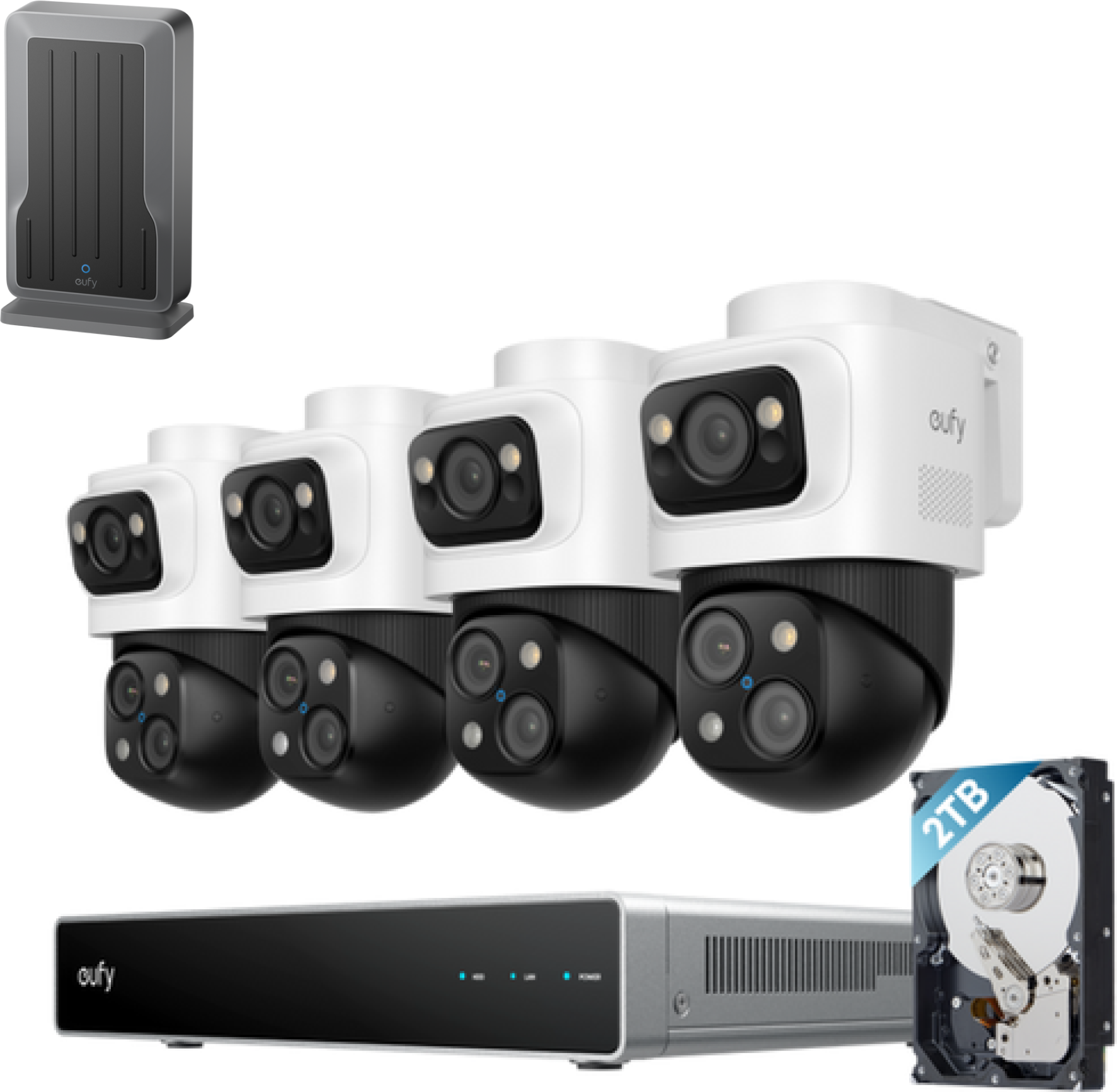
eufy NVR Security System S4 Max and Wi-Fi ModuleIncludes: eufy NVR Security System S4 Max, eufy Wi-Fi Module Adapter for eufy NVR PoE System eufy NVR Security System S4 Max: Triple-Lens Bullet-PTZ Camera in 4K Max View; Dynamic Tracking and Auto-Framing; Live Cross-Cam Tracking; AI-Powered Video Finder; Expandable Security, Effortless Setup; On-Device AI Agent; 3-Year Warranty. eufy Wi-Fi Module Adapter for eufy NVR PoE System: Seamless Integration with the eufy Ecosystem; Unified Device Management; Unlock NVR Features for Wi-Fi Cameras; Plug-and-Play Simplicity; One-Click Migration for Easy Transfer.923,99 £*Shipping: 0,00 £Secure redirect to the provider
-
Inspired Living KERUI 4K Smart Wi Fi Indoor Security Camera With Auto Tracking Mini IP Surveillance 5mp Ip Camera ukProtect what matters most with confidence the Smart WiFi security camera that watches over your home with sharp clarity and intelligent tracking. Designed for modern living spaces and busy families, this compact indoor camera delivers crystalclear...77,97 $*Shipping: 0,00 $Secure redirect to the provider
-
Inspired Living KERUI 4K Smart Wi Fi Indoor Security Camera With Auto Tracking Mini IP Surveillance 8mp Ip Camera auProtect what matters most with confidence the Smart WiFi security camera that watches over your home with sharp clarity and intelligent tracking. Designed for modern living spaces and busy families, this compact indoor camera delivers crystalclear...87,97 $*Shipping: 0,00 $Secure redirect to the provider
-
What is a Wi-Fi security warning?
A Wi-Fi security warning is a notification or alert that indicates potential security risks or vulnerabilities in a Wi-Fi network. These warnings can be triggered by various factors such as weak encryption, unauthorized access, or suspicious activity on the network. It is important to take these warnings seriously and take necessary actions to secure the network, such as changing passwords, updating firmware, or implementing stronger encryption protocols. Ignoring these warnings can leave the network vulnerable to cyber attacks and unauthorized access. **
-
Can a Wi-Fi extender amplify the Wi-Fi signal from another Wi-Fi extender?
Yes, a Wi-Fi extender can amplify the Wi-Fi signal from another Wi-Fi extender. This is known as daisy-chaining, where one extender picks up the signal from the main router and then extends it further to another extender. However, each time the signal is extended, there is a potential for some loss in speed and performance. It's important to place the extenders strategically to ensure the best coverage and minimize signal degradation. **
-
What is the difference between mesh Wi-Fi and powerline networking?
Mesh Wi-Fi uses multiple access points to create a single, seamless network throughout a home or office, providing consistent Wi-Fi coverage. Powerline networking, on the other hand, uses a home's electrical wiring to transmit data signals, allowing users to extend their network to areas where Wi-Fi signals may be weak. While mesh Wi-Fi is ideal for providing strong, consistent Wi-Fi coverage throughout a larger area, powerline networking is a convenient solution for extending a wired network connection to areas where running Ethernet cables may be impractical. **
-
Will a Wi-Fi extender solve my Wi-Fi problem?
A Wi-Fi extender can help improve Wi-Fi coverage in areas of your home or office where the signal is weak or spotty. By placing the extender in a location where the Wi-Fi signal is strong, it can amplify and extend the signal to reach areas that were previously experiencing connectivity issues. However, it's important to note that a Wi-Fi extender may not completely solve all Wi-Fi problems, especially if the original issue is due to factors like interference, outdated equipment, or a slow internet connection. It's always a good idea to troubleshoot and identify the root cause of your Wi-Fi problems before investing in a Wi-Fi extender. **
Similar search terms for Wi-Fi
-
Inspired Living KERUI 4K Smart Wi Fi Indoor Security Camera With Auto Tracking Mini IP Surveillance 5mp Ip Camera usProtect what matters most with confidence the Smart WiFi security camera that watches over your home with sharp clarity and intelligent tracking. Designed for modern living spaces and busy families, this compact indoor camera delivers crystalclear...77,97 $*Shipping: 0,00 $Secure redirect to the provider
-
Inspired Living KERUI 4K Smart Wi Fi Indoor Security Camera With Auto Tracking Mini IP Surveillance 8mp Ip Camera euProtect what matters most with confidence the Smart WiFi security camera that watches over your home with sharp clarity and intelligent tracking. Designed for modern living spaces and busy families, this compact indoor camera delivers crystalclear...87,97 $*Shipping: 0,00 $Secure redirect to the provider
-
Inspired Living KERUI 4K Smart Wi Fi Indoor Security Camera With Auto Tracking Mini IP Surveillance 5mp Ip Camera auProtect what matters most with confidence the Smart WiFi security camera that watches over your home with sharp clarity and intelligent tracking. Designed for modern living spaces and busy families, this compact indoor camera delivers crystalclear...77,97 $*Shipping: 0,00 $Secure redirect to the provider
-
Inspired Living KERUI 4K Smart Wi Fi Indoor Security Camera With Auto Tracking Mini IP Surveillance 5mp Ip Camera euProtect what matters most with confidence the Smart WiFi security camera that watches over your home with sharp clarity and intelligent tracking. Designed for modern living spaces and busy families, this compact indoor camera delivers crystalclear...77,97 $*Shipping: 0,00 $Secure redirect to the provider
-
How do I unlock the Pyur Community Wi-Fi?
To unlock the Pyur Community Wi-Fi, you will need to obtain the password from the community administrator or management office. Once you have the password, you can connect to the Wi-Fi network by selecting it from the list of available networks on your device and entering the password when prompted. Make sure to follow any additional instructions provided by the community administrator to successfully unlock and access the Pyur Community Wi-Fi. **
-
Was the Wi-Fi slower after the software update?
After the software update, the Wi-Fi speed seemed to have slowed down slightly. The update may have caused some changes in the network settings or configurations, resulting in a decrease in speed. It is recommended to check for any new updates or troubleshoot the Wi-Fi connection to improve the speed. **
-
How can I receive Wi-Fi with a Wi-Fi router?
To receive Wi-Fi with a Wi-Fi router, you need to first connect the router to a power source and then connect it to your modem using an Ethernet cable. Once the router is connected and powered on, you can access the Wi-Fi network by searching for it on your device and entering the password if required. Make sure the router is placed in a central location in your home for better coverage and connectivity. **
-
Is the guest Wi-Fi secure as a public Wi-Fi?
The security of a guest Wi-Fi network can vary depending on how it is set up by the host. In general, guest Wi-Fi networks are designed to provide limited access to the internet and separate it from the host's main network. However, they may not always have the same level of security as a private Wi-Fi network. It is important for users to be cautious when using guest Wi-Fi and to avoid accessing sensitive information or making financial transactions while connected to it. Additionally, using a virtual private network (VPN) can add an extra layer of security when using public Wi-Fi networks, including guest Wi-Fi. **
* All prices are inclusive of VAT and, if applicable, plus shipping costs. The offer information is based on the details provided by the respective shop and is updated through automated processes. Real-time updates do not occur, so deviations can occur in individual cases. ** Note: Parts of this content were created by AI.