Buy ip-forum.eu ?
We are moving the project
ip-forum.eu .
Are you interested in purchasing the domain
ip-forum.eu ?
domain@kv-gmbh.de · 0541-91531010
Buy ip-forum.eu ?
Why isn't the Epson printer printing black?
There could be several reasons why an Epson printer is not printing black. It could be due to a clogged printhead, low ink levels, or a faulty ink cartridge. It's also possible that the printer settings are not configured correctly, or there could be a software issue. It's important to troubleshoot the issue by checking the ink levels, running a printhead cleaning cycle, and ensuring that the printer settings are correct. If the issue persists, it may be necessary to contact Epson customer support for further assistance. **
Why is the Epson printer not printing black?
The Epson printer may not be printing black due to a clogged printhead or a dried-up ink cartridge. It could also be caused by a misaligned printhead or incorrect printer settings. Additionally, if the black ink cartridge is empty or low on ink, the printer may not be able to print in black. It is recommended to check these factors and perform maintenance tasks such as cleaning the printhead or replacing the ink cartridge to resolve the issue. **

Similar search terms for Epson-T298140-29-Black
Top-Angebote
Products related to Epson-T298140-29-Black:
-
Lucky Brand Mid Rise Ava Skinny - Women's Pants Denim Skinny Jeans in Black Light Wash, Size 29 x 29An everyday mid rise skinny jean designed for a perfect fit in our comfiest stretch, the Ava Skinny is a universally flattering fit for any day of the week. Mid rise with a skinny fit and skinny leg. Dark wash denim. Advanced stretch for a...59,40 $*Shipping: 0,00 $Secure redirect to the provider
-
Helly Hansen Men's Quick Dry Cargo Pants - Black/Ebony - 29We designed the Men's HH Quick-Dry Cargo Pants for sailors and other adventurers. These men’s cargo pants are made with lightweight, durable ripstop fabric to keep you comfortable on and off the water. They have built-in UPF 50+ sun protection for warm, dry days, and cargo pockets to keep your essentials secure and accessible. Stretch fabric ensures freedom of movement, whether you’re on deck or enjoying a casual day out.100,00 $*Shipping: 0,00 $Secure redirect to the provider
-
Helly Hansen Women's Holmen Relaxed Pants - Black/Ebony - 29/30These Women's Holmen Relaxed Pants are perfect for year-round use, whether on the trail or in the city. Made from a lightweight and stretchy blend, these pants offer comfort and durability. The relaxed fit features a pull-on design with an elasticated waist and a drawcord for personalized adjustment. The 5-pocket layout includes open hand pockets, back pockets, and a zippered security pocket along the side seam. A gusseted crotch provides enhanced mobility, while the adjustable bottom leg lets you style the pants to your preference.120,00 $*Shipping: 0,00 $Secure redirect to the provider
-
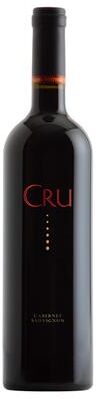
"""Vineyard 29""" """Vineyard 29 Cru Cabernet Sauvignon 2022 Red Wine - California""""""The 2022 CRU Napa Valley Cabernet Sauvignon is a surprisingly youthful and fresh, yet full-bodied and concentrated wine from what was considered a warmer vintage in Napa Valley. Brambly blackberry, ripe blueberry and violet aromas are complemented..."49,99 $*Shipping: 0,00 $Secure redirect to the provider


-
Why is the Epson printer not printing black anymore?
There could be several reasons why an Epson printer is not printing black anymore. It could be due to a clogged printhead, a low or empty black ink cartridge, or a problem with the printer settings. It is also possible that the printer driver needs to be updated or there could be a hardware issue with the printer. It is recommended to check the ink levels, run a printhead cleaning cycle, and ensure that the printer settings are correct before seeking further assistance. **
-
Can the Epson Stylus SX425W print in black and white?
Yes, the Epson Stylus SX425W can print in black and white. It has the capability to print in both color and monochrome, giving users the option to choose between the two printing modes. This printer is versatile and can accommodate various printing needs, including black and white documents. **
-
Why is the Epson printer printing black instead of yellow?
If an Epson printer is printing black instead of yellow, it could be due to a few reasons. One common reason is that the yellow ink cartridge may be empty or clogged. Another possibility is that the printer settings may be set to grayscale or black and white printing, causing it to ignore the yellow ink. Additionally, there could be a software issue or a problem with the printer driver that is causing the incorrect color output. **
-
Why is the Epson XP 412 not printing black anymore?
There could be several reasons why the Epson XP 412 is not printing black anymore. It could be due to a clogged printhead, empty or faulty black ink cartridge, or a software issue. It is recommended to first check the ink levels and replace the cartridge if it is empty or faulty. If the cartridge is not the issue, running a printhead cleaning cycle or updating the printer's software may help resolve the problem. If the issue persists, it may be necessary to contact Epson customer support for further assistance. **

Can you only print in black with an Epson printer?
No, Epson printers are capable of printing in color as well as black. Most Epson printers come with multiple ink cartridges, including black, cyan, magenta, and yellow, allowing for color printing. Users can select the color or black and white printing option based on their preferences or needs. Epson printers offer a wide range of printing capabilities, including both color and black printing options. **
How can I print in black with the Epson XP 520?
To print in black with the Epson XP 520, you can adjust the printer settings on your computer. Open the document you want to print and select "Print" from the file menu. In the print dialog box, look for an option that allows you to choose the color settings. Select "Black & White" or "Grayscale" to print in black only. Finally, click on the "Print" button to start printing your document in black. **
Top-Angebote
Products related to Epson-T298140-29-Black:
-
Helly Hansen Women's Quick Dry Pants - Black/Ebony - 29Made with lightweight, stretchy, and durable ripstop fabric, our Women’s Quick Dry Pants keep you comfortable and agile whether you're adjusting sails or strolling the dock. Ideal for warm days, they feature built-in UPF 50+ sun protection. Plus, the quick-drying material helps you stay comfortable when facing mild sea spray or light rain. This is a Global Recycled Standard certified product.90,00 $*Shipping: 10,00 $Secure redirect to the provider
-
Lucky Brand Mid Rise Ava Skinny - Women's Pants Denim Skinny Jeans in Black Light Wash, Size 29 x 29An everyday mid rise skinny jean designed for a perfect fit in our comfiest stretch, the Ava Skinny is a universally flattering fit for any day of the week. Mid rise with a skinny fit and skinny leg. Dark wash denim. Advanced stretch for a...59,40 $*Shipping: 0,00 $Secure redirect to the provider
-
Helly Hansen Men's Quick Dry Cargo Pants - Black/Ebony - 29We designed the Men's HH Quick-Dry Cargo Pants for sailors and other adventurers. These men’s cargo pants are made with lightweight, durable ripstop fabric to keep you comfortable on and off the water. They have built-in UPF 50+ sun protection for warm, dry days, and cargo pockets to keep your essentials secure and accessible. Stretch fabric ensures freedom of movement, whether you’re on deck or enjoying a casual day out.100,00 $*Shipping: 0,00 $Secure redirect to the provider
-
Why isn't the Epson printer printing black?
There could be several reasons why an Epson printer is not printing black. It could be due to a clogged printhead, low ink levels, or a faulty ink cartridge. It's also possible that the printer settings are not configured correctly, or there could be a software issue. It's important to troubleshoot the issue by checking the ink levels, running a printhead cleaning cycle, and ensuring that the printer settings are correct. If the issue persists, it may be necessary to contact Epson customer support for further assistance. **
-
Why is the Epson printer not printing black?
The Epson printer may not be printing black due to a clogged printhead or a dried-up ink cartridge. It could also be caused by a misaligned printhead or incorrect printer settings. Additionally, if the black ink cartridge is empty or low on ink, the printer may not be able to print in black. It is recommended to check these factors and perform maintenance tasks such as cleaning the printhead or replacing the ink cartridge to resolve the issue. **
-
Why is the Epson printer not printing black anymore?
There could be several reasons why an Epson printer is not printing black anymore. It could be due to a clogged printhead, a low or empty black ink cartridge, or a problem with the printer settings. It is also possible that the printer driver needs to be updated or there could be a hardware issue with the printer. It is recommended to check the ink levels, run a printhead cleaning cycle, and ensure that the printer settings are correct before seeking further assistance. **
-
Can the Epson Stylus SX425W print in black and white?
Yes, the Epson Stylus SX425W can print in black and white. It has the capability to print in both color and monochrome, giving users the option to choose between the two printing modes. This printer is versatile and can accommodate various printing needs, including black and white documents. **
Similar search terms for Epson-T298140-29-Black
-
Helly Hansen Women's Holmen Relaxed Pants - Black/Ebony - 29/30These Women's Holmen Relaxed Pants are perfect for year-round use, whether on the trail or in the city. Made from a lightweight and stretchy blend, these pants offer comfort and durability. The relaxed fit features a pull-on design with an elasticated waist and a drawcord for personalized adjustment. The 5-pocket layout includes open hand pockets, back pockets, and a zippered security pocket along the side seam. A gusseted crotch provides enhanced mobility, while the adjustable bottom leg lets you style the pants to your preference.120,00 $*Shipping: 0,00 $Secure redirect to the provider
-
"""Vineyard 29""" """Vineyard 29 Cru Cabernet Sauvignon 2022 Red Wine - California""""""The 2022 CRU Napa Valley Cabernet Sauvignon is a surprisingly youthful and fresh, yet full-bodied and concentrated wine from what was considered a warmer vintage in Napa Valley. Brambly blackberry, ripe blueberry and violet aromas are complemented..."49,99 $*Shipping: 0,00 $Secure redirect to the provider
-
Lucky Brand The Baggy in Gone Rogue Wash, Size 29 x 29A laid-back low rise inspired by vintage styles, The Baggy jean has a relaxed fit and relaxed leg silhouette for a cool attitude. Low rise with a relaxed fit and relaxed leg. Distressed medium vintage wash denim. Comfort stretch with just the right...37,49 $*Shipping: 0,00 $Secure redirect to the provider
-
Why is the Epson printer printing black instead of yellow?
If an Epson printer is printing black instead of yellow, it could be due to a few reasons. One common reason is that the yellow ink cartridge may be empty or clogged. Another possibility is that the printer settings may be set to grayscale or black and white printing, causing it to ignore the yellow ink. Additionally, there could be a software issue or a problem with the printer driver that is causing the incorrect color output. **
-
Why is the Epson XP 412 not printing black anymore?
There could be several reasons why the Epson XP 412 is not printing black anymore. It could be due to a clogged printhead, empty or faulty black ink cartridge, or a software issue. It is recommended to first check the ink levels and replace the cartridge if it is empty or faulty. If the cartridge is not the issue, running a printhead cleaning cycle or updating the printer's software may help resolve the problem. If the issue persists, it may be necessary to contact Epson customer support for further assistance. **
-
Can you only print in black with an Epson printer?
No, Epson printers are capable of printing in color as well as black. Most Epson printers come with multiple ink cartridges, including black, cyan, magenta, and yellow, allowing for color printing. Users can select the color or black and white printing option based on their preferences or needs. Epson printers offer a wide range of printing capabilities, including both color and black printing options. **
-
How can I print in black with the Epson XP 520?
To print in black with the Epson XP 520, you can adjust the printer settings on your computer. Open the document you want to print and select "Print" from the file menu. In the print dialog box, look for an option that allows you to choose the color settings. Select "Black & White" or "Grayscale" to print in black only. Finally, click on the "Print" button to start printing your document in black. **
* All prices are inclusive of VAT and, if applicable, plus shipping costs. The offer information is based on the details provided by the respective shop and is updated through automated processes. Real-time updates do not occur, so deviations can occur in individual cases. ** Note: Parts of this content were created by AI.